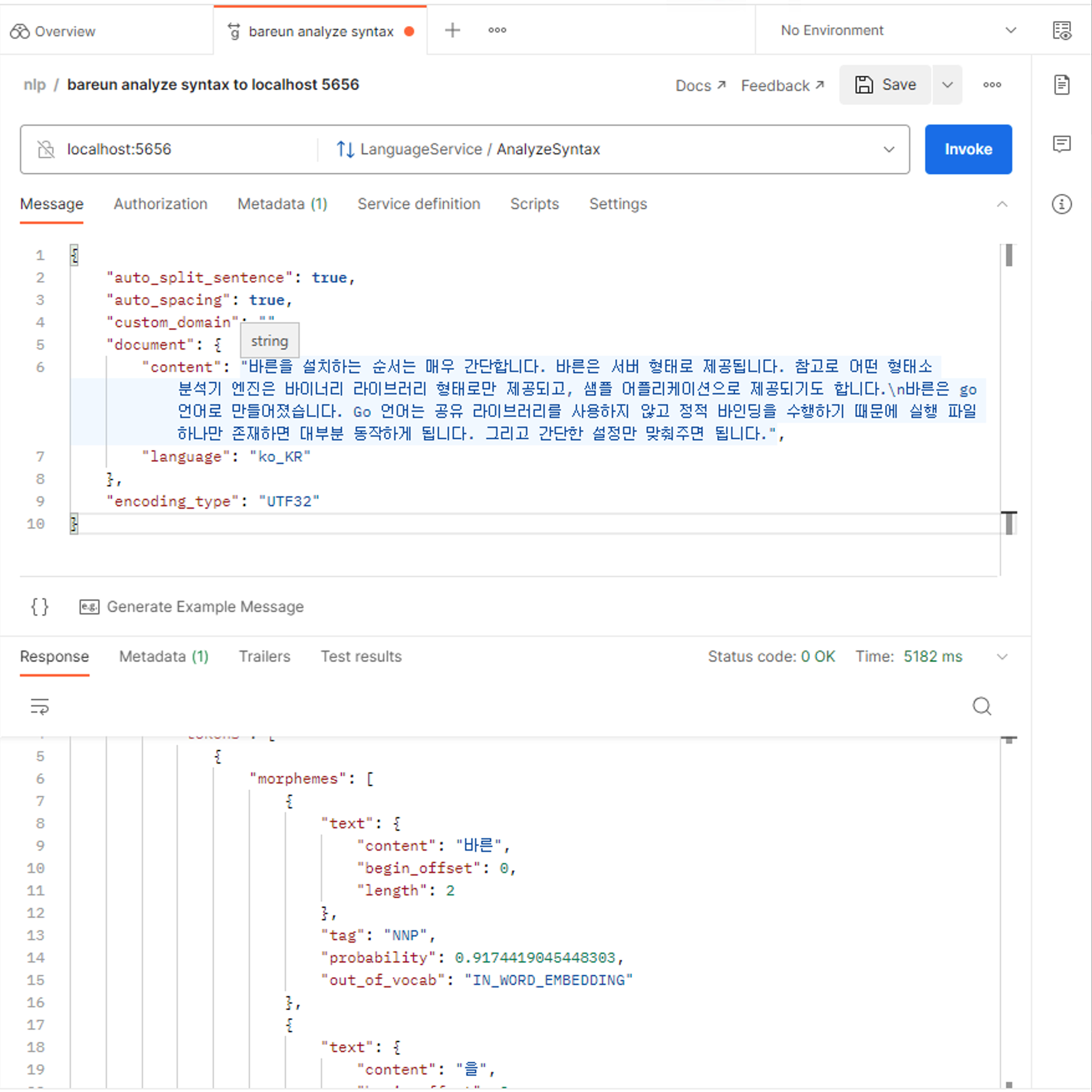
Installing Postman
You can test the API directly. Here we show how to use it with POSTMAN. Sign up for POSTMAN, then download it and install the desktop version.
Creating a new request
-
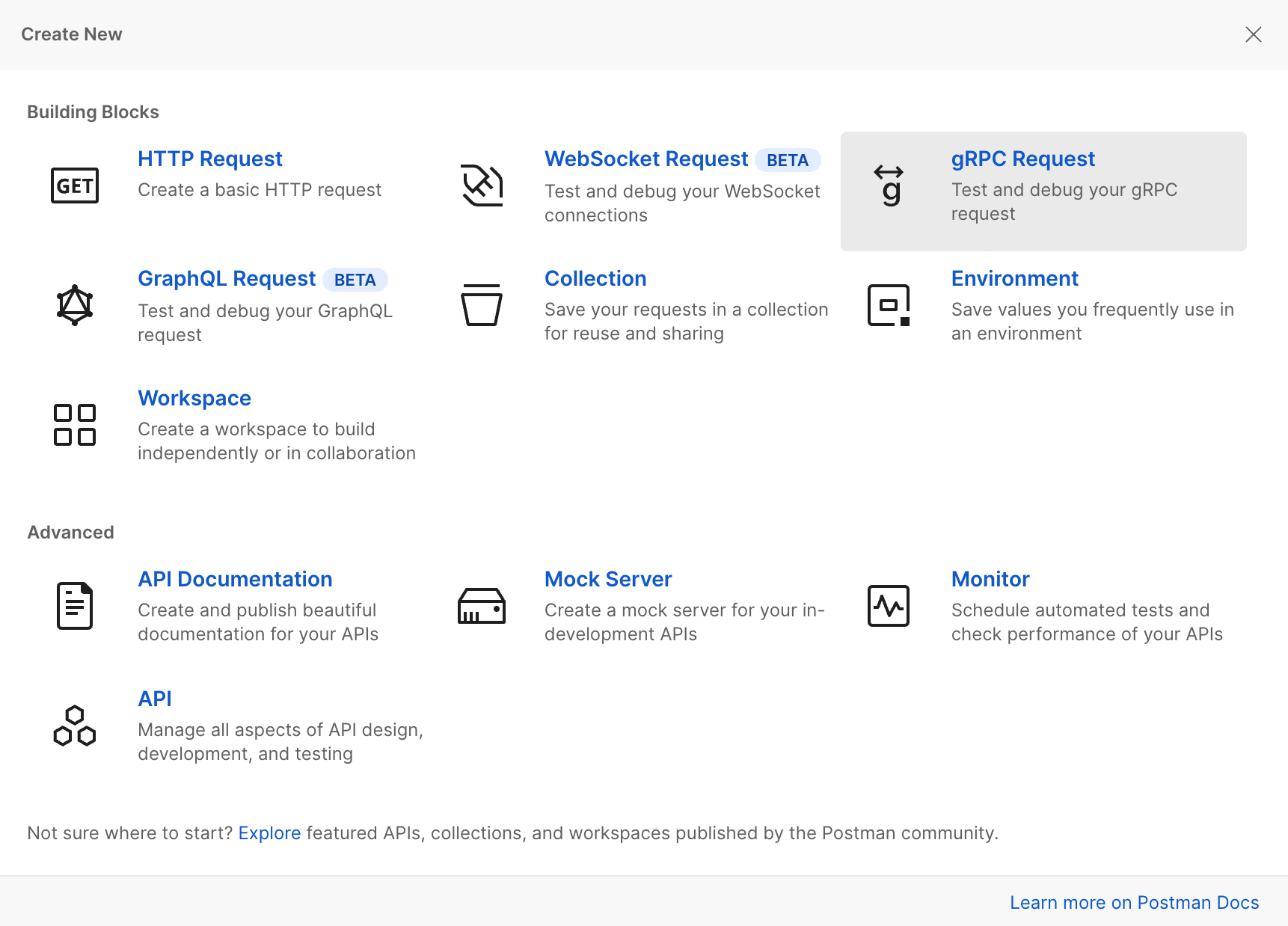
Click the
Newbutton and choosegRPC Request, as shown in the figure below. -
-
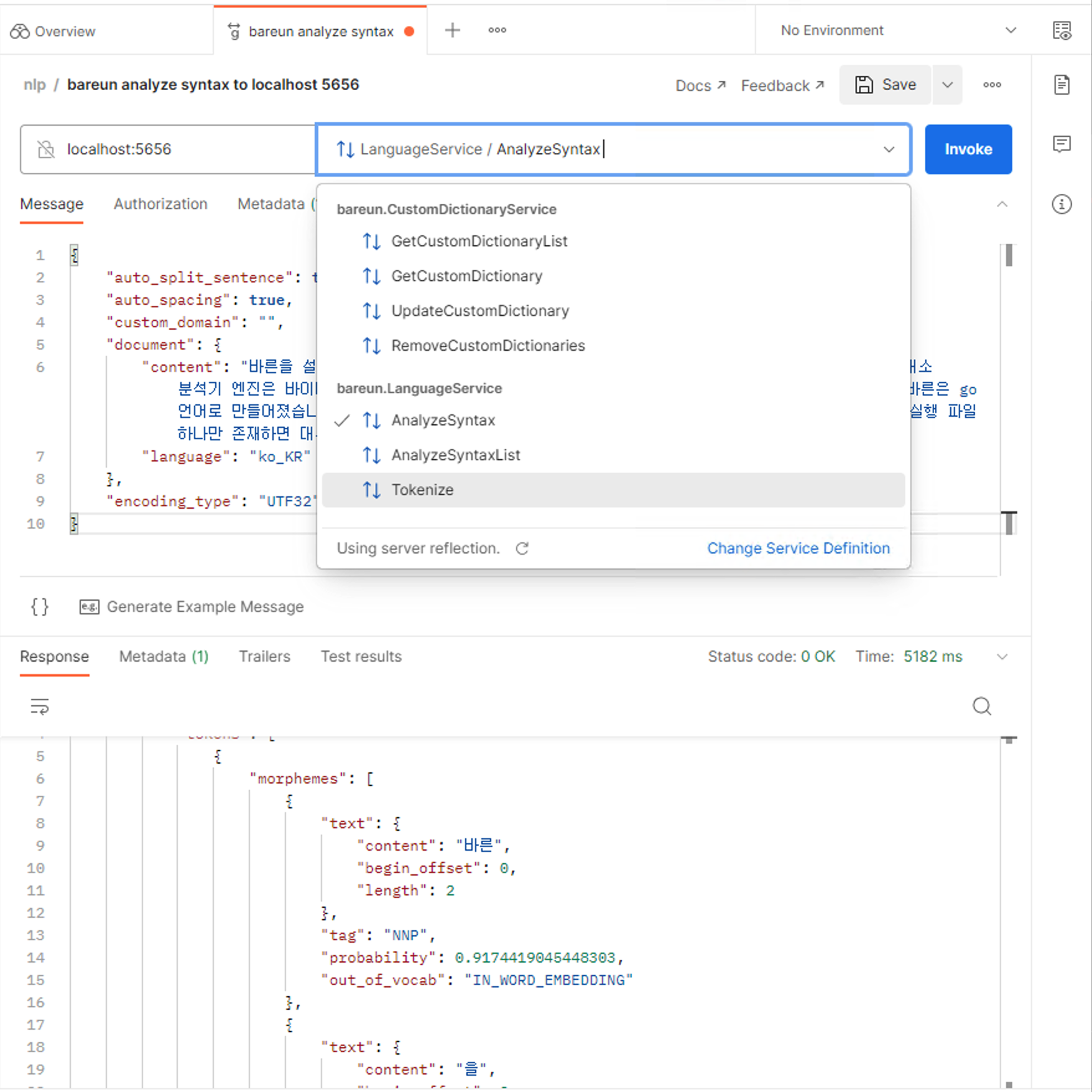
When you create a new gRPC request, set the address to
localhost:5656and choose Server Reflection to see the list of available APIs. Select theAnalyzeSyntaxAPI here.
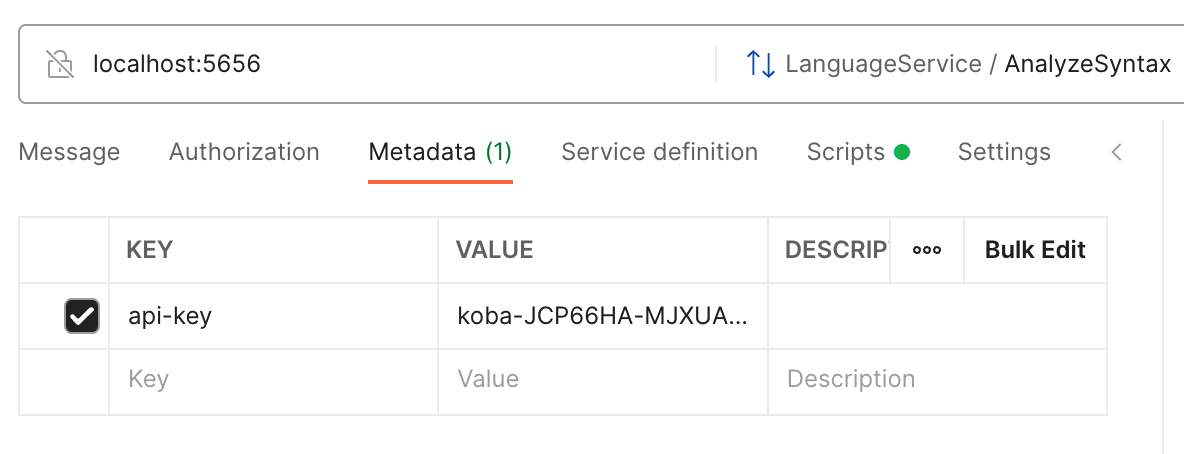
Enter your API key
You must enter your API key in Meta here. Put in your own API key. Enter the API key as shown in the screen below.
Creating a message and sending the request
- Now you can create a message. To create one, click the
Generate Example Messagebutton as shown below.- Then set
trueforauto_split_sentence,auto_spacing, andauto_jointing. - Enter your sentence in
document.content. - Set
document.languagetoko_KR. - Set
encoding_typetoUTF32. - Leave
custom_dict_namesempty.
- Then set

- When the message is complete, click the
Invokebutton to see the result right away.